

Asus ZenBook A14 vs MacBook Air 13 (M4): Performance, Portability, Price?
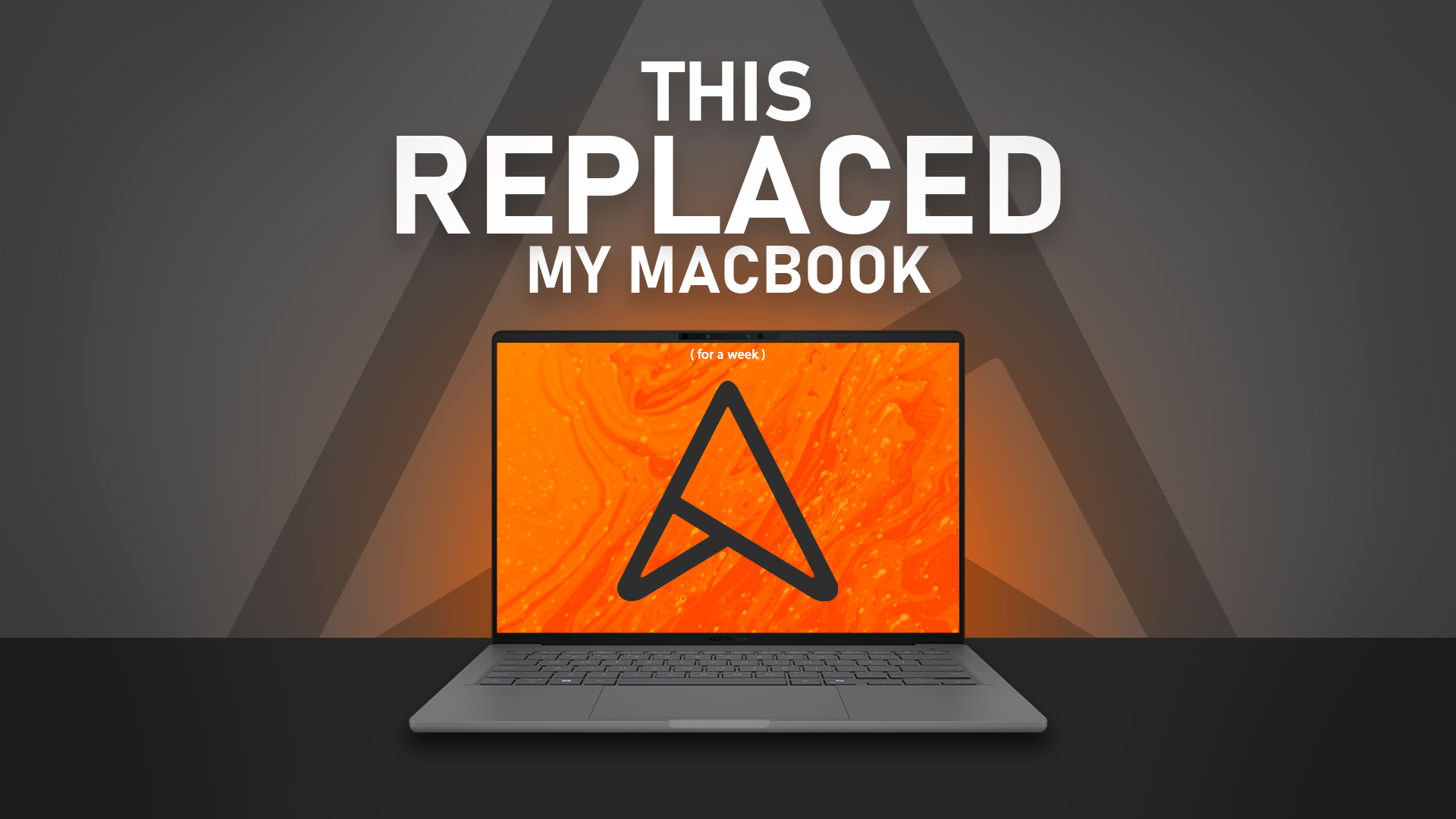
A week ago, I took on a risky challenge. Asus asked me to swap out my daily driver — my MacBook, the laptop I run my entire company from — for their new Asus ZenBook A14.
They claimed it’s lighter, has better battery life, and thanks to the new Snapdragon X Elite chip, should offer performance on par with a MacBook. I initially said no, but they sent it anyway. So here’s what happened during my week with it.
First Impressions – Light but Premium
Taking it out of the box, I was surprised — it felt too light. Almost hollow. But it’s not plastic at all. The casing has the smooth texture of a beach pebble, thanks to Asus’ Ceriluminuminum — an aluminium-zinc alloy coated in ceramic for scratch and shock resistance.
Even though this is a demo unit that’s passed through a few hands, it still has zero scratches. Fingerprints are another story, but they wipe away easily.
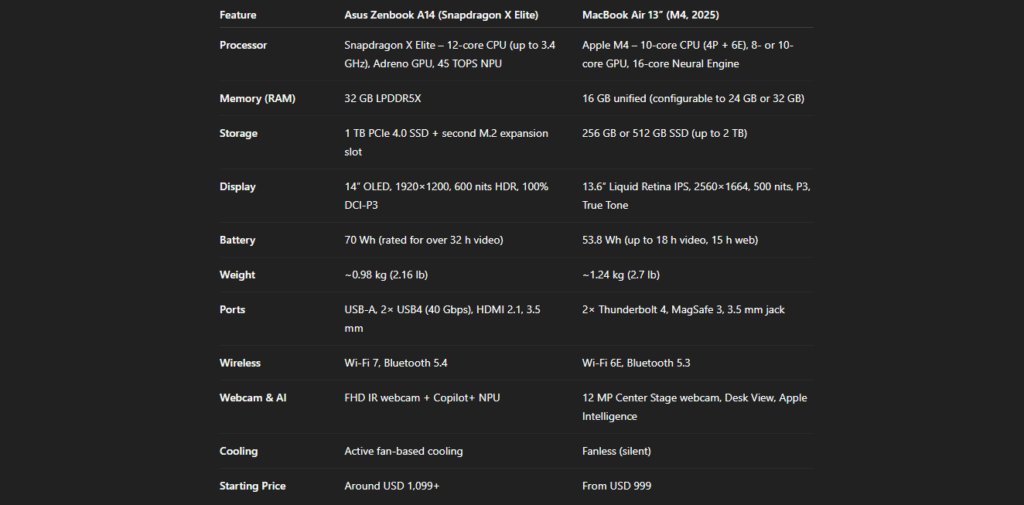
At just 980g, this is one of the lightest laptops I’ve ever used. Asus also nailed the hinge — it runs across the entire body and can be opened easily with one finger.
Display – OLED That Pops
The OLED panel is gorgeous. Deep blacks, vibrant colors — watching videos is a joy. Sure, it’s only 1080p, but at this screen size, you won’t notice. It’s capped at 60Hz, but since it’s not a gaming laptop, that’s fine.
Keyboard & Trackpad – Almost Perfect
The keyboard is refreshingly simple — no cramped numpad, just large, well-spaced keys with 1.3mm travel. A bit stiffer than my MacBook’s, but solid with no flex.
The trackpad works fine, but let’s be honest — no one beats Apple’s trackpad. Asus does add some cool gesture controls for quick volume and brightness changes, though.
Performance – The ARM Trade-Off
Here’s where things get tricky. The ZenBook A14 runs on a Snapdragon ARM chip, which means some software simply doesn’t work natively.
- After Effects won’t run at all.
- Premiere Pro works, but needs emulation, making it unstable.
For my work, that’s a deal-breaker. However, Adobe has already released ARM-native versions of Photoshop and Lightroom, and other developers are following. In a few months, this may not even be an issue.
Webcam & Ports – Asus Wins Here
The 1080p webcam is decent, especially in good lighting. But the real win? Ports.
- 2x USB 4 (40Gbps) Type-C
- Full-sized HDMI
- USB-A
No dongles required — take notes, Apple.
Battery Life – A Real Strength
This thing lasts. I easily got 18 hours of active use, meaning a day and a half without charging. For someone used to lugging a power brick around for gaming laptops, this was bliss.
AI Features – Not Quite There Yet
The built-in Neural Processing Unit is designed for onboard AI tasks, but most of us use cloud AI, so its benefits are limited for now. Still, it’s promising for the future.
Verdict – Who Should Buy It?
Would I replace my MacBook? No — my workflow depends on software that doesn’t fully support ARM yet.
But if you’re a student, casual user, or writer looking for something ultra-portable, with great battery life, solid ports, and an OLED screen, this is an excellent choice.
For me, the Asus ZenBook A14 scores 8.8/10. In its category, it’s a serious contender.
TL;DR:
✅ Lightweight & portable
✅ Stunning OLED display
✅ Incredible battery life
✅ Plenty of ports
⚠️ ARM software limitations (for now)
⚠️ Trackpad can’t match MacBook’s