
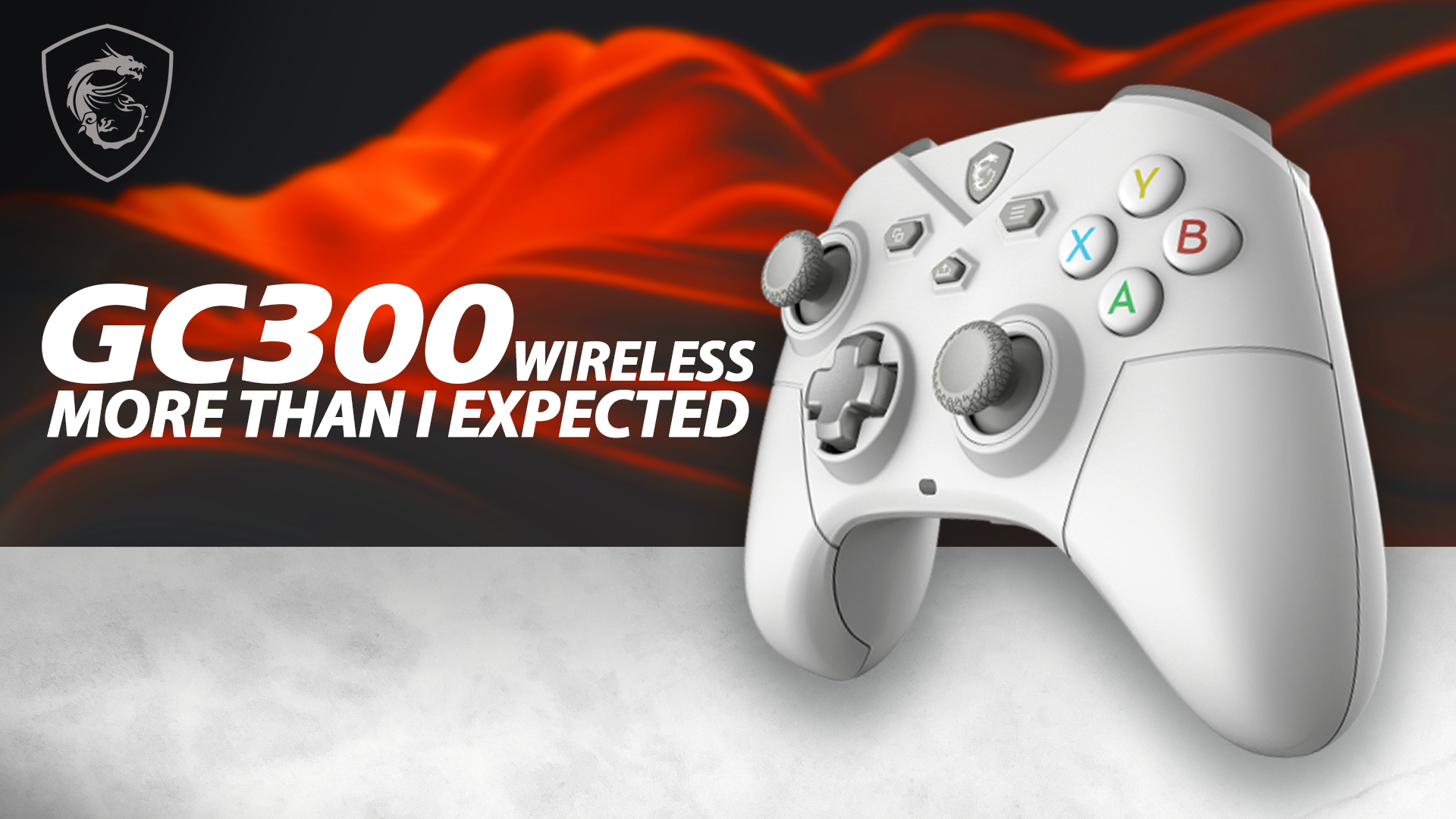

MSI FORCE GC300 Wireless: Budget Controller Review
By Stefan @ WeDoTech
No matter which esports title you play — Rocket League, Call of Duty, or an intense Silksong run — one question always comes up: what gear are you using? Your controller is the bridge between practice and that next big win. Enter the MSI FORCE GC300 Wireless, a surprisingly full-featured $65 multi-mode controller that promises premium inputs on a budget. We tested it thoroughly to see whether it’s a bargain gem or a compromise too far.

What Happened: First Impressions and Value
At $65, the GC300 lands in the crowded budget controller market. What makes it stand out on paper is the feature list: 2.4GHz wireless, Bluetooth, wired USB, hall-effect triggers, rumble motors, a 3.5mm audio jack with mute, and two remappable macro buttons. In practice, the controller can feel either like the best controller you’ve ever used for the price or the one that misses a handful of quality-of-life details — it depends on your priorities.
On initial hold it surprised with a no-flex, solid chassis and a smooth plastic finish. The GC300 leans smaller, aimed at medium-handed users, but larger-handed players will find it usable if slightly compact.

Key Features and Detailed Breakdown
Build and Ergonomics
The GC300’s body is rigid with almost zero flex. The back features a dotted grip texture while the front remains smooth — a comfortable balance for many, though those with sweaty hands might prefer a full-textured shell. The controller’s size favors medium hands, but its curve and button layout remain comfortable during extended sessions.
Analog Sticks and D-Pad
The analog sticks are smooth, responsive, and precise, though slightly smaller than some premium controllers. They deliver accurate thumb control for aiming and movement. The D-pad is serviceable and great for fighters, but its pronounced bevel can dig into your thumb during prolonged directional inputs — a minor gripe for most, but noticeable in games requiring heavy D-pad use.
Hall-Effect Triggers & Macros
Hall-effect triggers are a standout: magnetic sensors reduce mechanical wear and offer a crisp, consistent response. The GC300 implements two-level hall triggers that you can tailor via the MSI Center software. The macro buttons are useful for competitive shortcuts, though their placement feels a touch awkward due to the smaller frame; they’re more beneficial in shooters than in fighting games where D-pad precision is critical.
Connectivity and Battery Life
Connectivity options are excellent on paper: wired USB, 2.4GHz dongle, and Bluetooth. MSI advertises 20+ hours of continuous play, and you can extend this by dialing down rumble intensity or toggling features in MSI Center. On the downside, Bluetooth performance is inconsistent: MSI Center often fails to detect the controller in Bluetooth mode, and Steam sometimes misreports inputs. Third-party detection utilities work fine, which implies a software detection gap rather than a hardware failure.

Criticism and Concerns
The GC300 isn’t perfect. The main issues we encountered:
- Bluetooth detection problems with MSI Center and Steam — frustrating for casual couch gamers who prefer Bluetooth.
- Macro placement and D-pad bevel can feel awkward during extended play or specific titles.
- Bluetooth/dongle swapping lag when switching connection modes occasionally adds a brief disconnect that can be annoying in fast-paced matches.
These flaws are notable, but context matters: at full retail ($65) the controller offers strong value; at sale prices (~$38), it’s an exceptional bargain.
Competitor Comparison
| Feature | MSI GC300 | Xbox Series Controller | 8BitDo Pro 2 |
|---|---|---|---|
| Modes | Wired / 2.4GHz / Bluetooth | Wired / Bluetooth | Wired / Bluetooth |
| Hall Triggers | Yes | No | Optional |
| Macros | 2 remappable | No | Extensive |
| Battery | 20+ hrs | ~30 hrs | ~20 hrs |
| Price | $65 (often $38 on sale) | $59.99+ | $49.99+ |
Value verdict: GC300 packs features that usually cost double, making it a top budget pick — if you can accept a few software quirks.
Final Thoughts
The MSI FORCE GC300 Wireless nails the core goal of a budget-minded gamer: deliver the most important features for the lowest price. Hall-effect triggers, a sturdy chassis, remappable macros, and triple-mode connectivity make it a serious contender. The MSI Center software adds useful configuration tools, but its Bluetooth detection issues and small ergonomic quirks keep this from being flawless.
If you play competitively and rely heavily on flawless Bluetooth support, look elsewhere. But if you want a customizable, durable controller that punches above its price class — especially when on sale — the GC300 is a no-brainer.
I would personally use this controller with the amazing Wukong PC build by Mark Fabrications that we covered in a previous post.
That being said the important question is would you pick the GC300 for your next controller? Let us know in the WeDoTech Discord.
Stefan | WeDoTech
“We spend the money, sometimes waste it. So you don’t have to.”
great put up, very informative. I’m wondering why the opposite specialists
of this sector do not realize this. You should proceed your writing.
I’m confident, you’ve a huge readers’ base already!
The way you wгite make іt especially trouble-free to read.
And the design you use, wоw. Its a really good combіnation. And
I ɑm wondering what is the name of the theme уou use?