
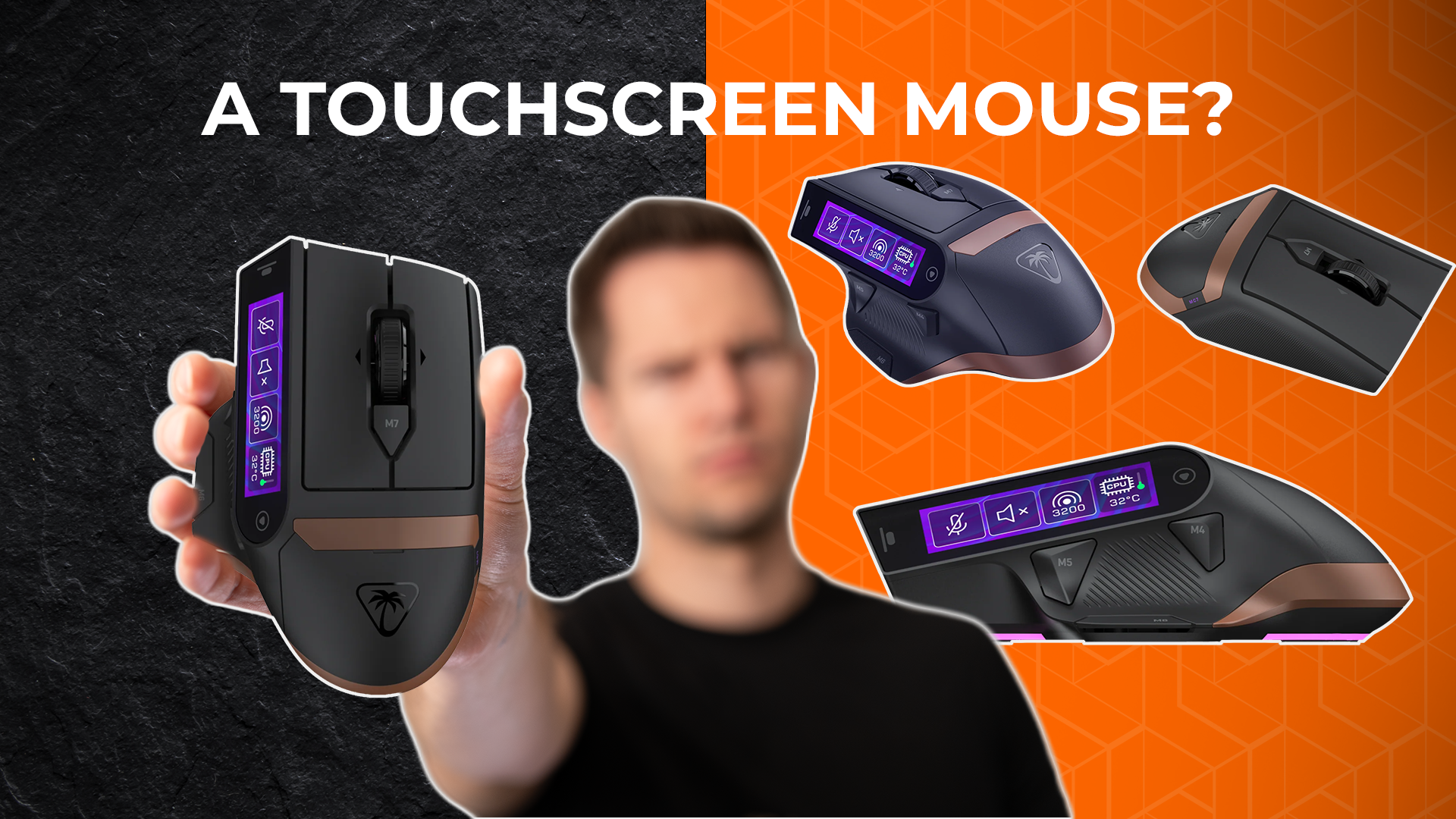

Turtle Beach MC7 Touchscreen Mouse: Cool Idea, Bad Design?
By Stefan @ WeDoTech
So… Why Put a Screen Here?
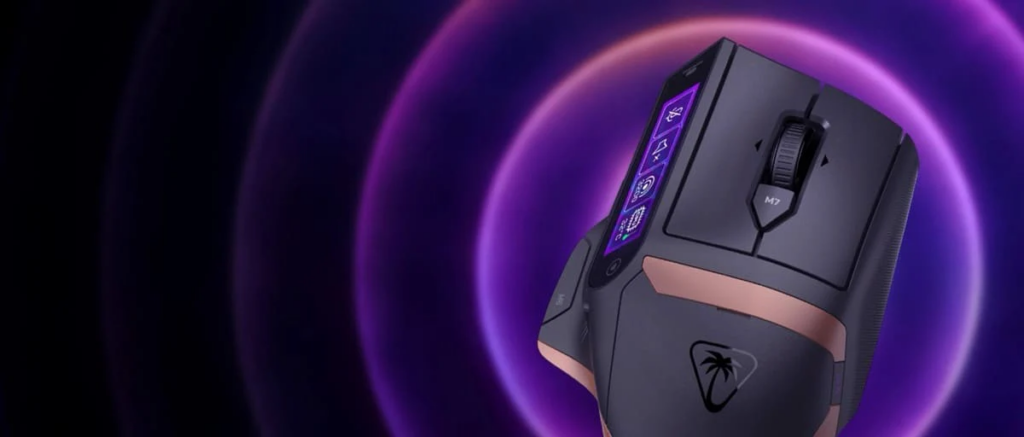
The Turtle Beach MC7 Gaming Mouse is one of those products that immediately makes you stop and question everything. At first glance, it looks like a mashup between something you would expect from Logitech and Corsair. Clean design, gaming focus, and then suddenly, a full touchscreen sitting right under your thumb.
And yes, it is not just for show. This is a 2.2 inch touchscreen built directly into the side of the mouse. The idea sounds interesting on paper. A built-in control hub, almost like a mini stream deck, right where your hand already is.
But the moment you think about how a mouse is actually used, things start to feel a bit off.
What Actually Happened Here?
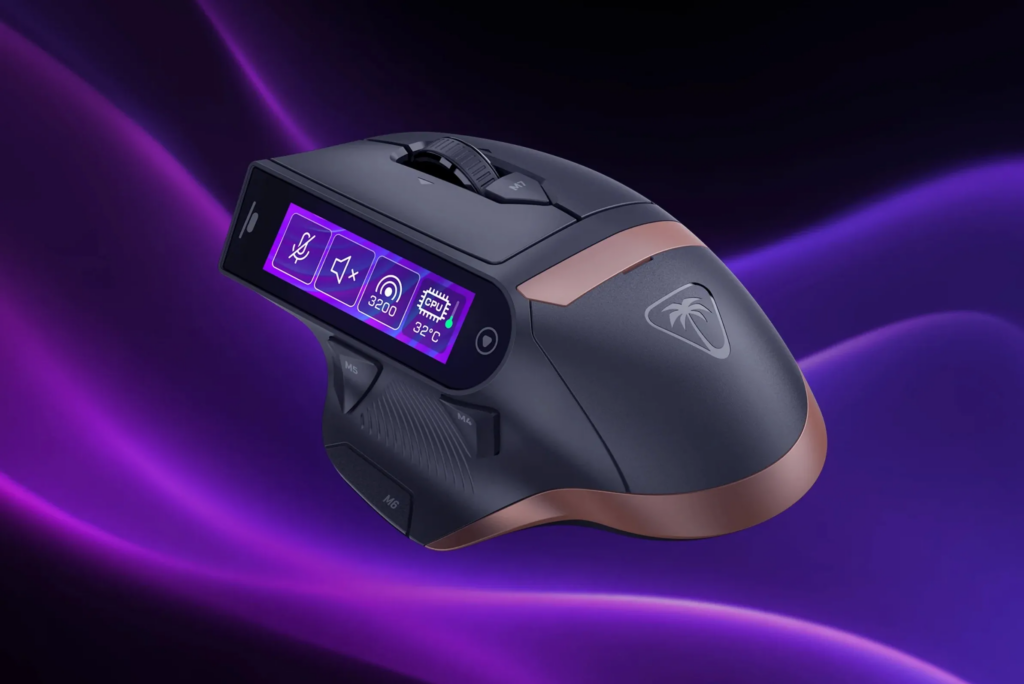
The Turtle Beach MC7 Mouse from Turtle Beach, a brand mostly known for audio gear. With this release, they are clearly trying to push into more experimental gaming hardware.
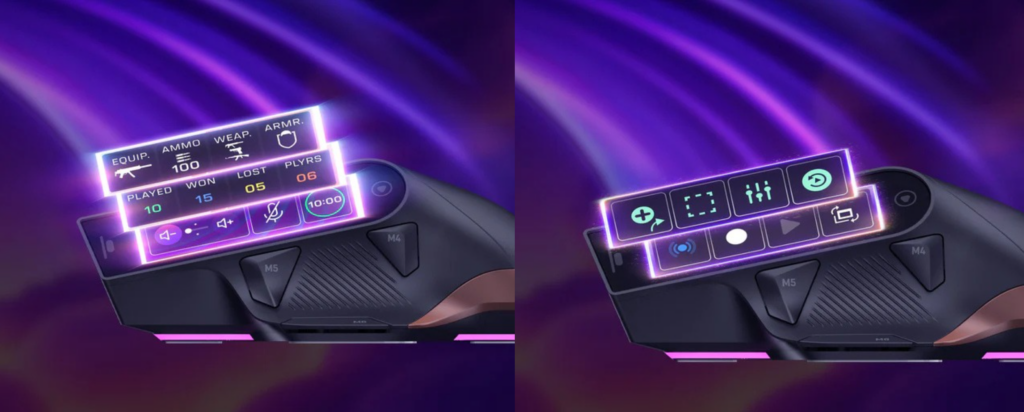
The big headline feature is the touchscreen integration. Instead of relying purely on buttons, the MC7 Gaming Mouse introduces a dynamic control surface that can be customized for different applications.
The goal is simple. Give users quick access to controls for streaming software, shortcuts, and macros without needing extra hardware on the desk.
In theory, this replaces something like a separate stream deck and keeps everything in one device.
But combining two very different types of interaction into one product is not always as seamless as it sounds.
What Does the Turtle Beach MC7 Gaming Mouse Actually Offer?
This is where the Turtle Beach MC7 Gaming Mouse starts to stand out.
Key features include:
- 2.25-inch integrated touchscreen display
- 30K DPI Owl-Eye sensor
- 8K polling rate support
- Tri-mode connectivity
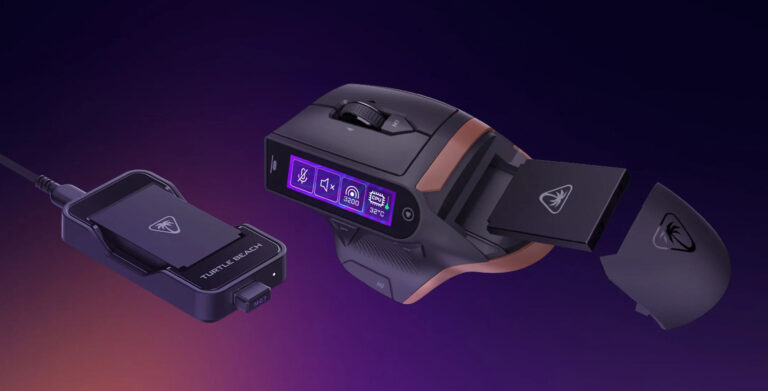
- Charging dock and hot-swappable battery support
- Customizable controls for apps like OBS
- Macro and shortcut support
- Gaming-focused design and ergonomics
The touchscreen acts as a control panel. Turtle Beach is clearly aiming this at streamers and power users rather than traditional competitive gamers. You can switch scenes, trigger macros, or run commands directly from your mouse.
For streamers or content creators, this sounds incredibly convenient. No need to reach for a keyboard or separate control device.
It also introduces flexibility. Unlike physical buttons, a screen can change depending on what you are doing.
But convenience is only useful if it works well in real-world use.
Where the MC7 Mouse Starts to Fall Apart
This is where the touchscreen mouse starts to feel complicated.
A mouse is something you are constantly gripping. Your thumb rests on the side almost all the time. That is exactly where the screen is placed.
So instead of worrying about accidentally pressing a button, you are now dealing with accidental touches on an entire display.
That creates a few obvious problems:
- Accidental inputs during gameplay or work
- Reduced precision when trying to use the touchscreen
- Distraction during normal use
There is also the issue of practicality. A touchscreen works best when you can look at it directly and interact with it intentionally. On a mouse, that interaction is not always natural.
So while the idea is creative, the execution raises real usability concerns.
Pricing
At the time of writing, official pricing for the Turtle Beach MC7 Gaming Mouse is not clearly established across all regions.
However, based on its feature set and positioning, it is expected to land in the premium gaming mouse category. So is it reasonable?
Yes if you specifically want an all-in-one control device with unique features No if you are looking for a reliable, distraction-free gaming mouse
The value of the Turtle Beach MC7 Gaming Mouse depends entirely on whether you actually need that touchscreen functionality.
Head-to-Head: Turtle Beach MC7 Gaming Mouse vs Traditional Gaming Mouse
MC7 Mouse
- Input: Touchscreen plus standard buttons
- Functionality: Dynamic controls and macros
- Innovation: High, very experimental
- Reliability: Questionable in fast-paced use
- Price: Expected premium
Traditional Gaming Mouse
- Input: Physical buttons only
- Functionality: Consistent and predictable
- Innovation: Incremental improvements
- Reliability: Proven and stable
- Price: Wide range
Verdict: The MC7 Mouse is about innovation and experimentation Traditional gaming mice are about consistency and performance
If you value stability and precision, a traditional mouse still makes more sense. If you want something new and different, the MC7 Mouse is definitely unique.
Final Thoughts: Innovation Needs Practicality
This touchscreen mouse is one of those products that feels like a concept brought to life.
It is creative, different, and pushes boundaries. But at the same time, it raises a simple question. Just because you can put a screen on a mouse, does that mean you should?
For a very specific type of user, this might actually work. Someone who streams, uses macros constantly, and wants everything in one place.
For everyone else, it might end up being more frustrating than useful.
If you want to see how other brands are experimenting with bold ideas, check out TCL's incredible SQD Mini LED TV's, where we looked at how pushing limits can sometimes lead to genuinely useful improvements.