
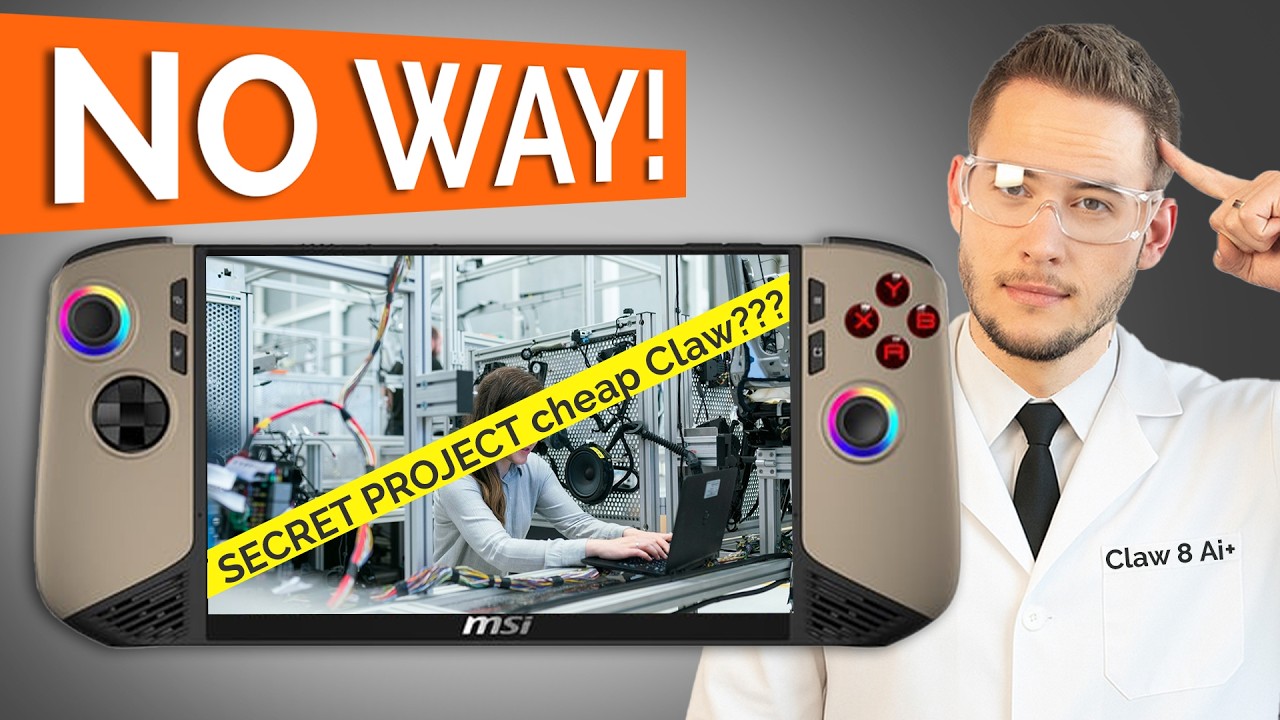

MSI Claw 8 AI Plus Review (Engineering Sample): Going Bolder into Handheld Gaming
MSI reached out to have us review the Claw 8 AI Plus—a version that isn't the finished retail product, but an engineering sample. While this version won't be the one you'd find in stores, it gave us a behind-the-scenes look at MSI's development process, some smart tweaks, and even a couple of things they nearly shipped.
So though we couldn't actually benchmark performance (thanks to a paltry 16GB of RAM), we still got a pretty good idea of what the Claw 8 has to offer the world of handheld—and it's a lot.
Engineering Sample Disclosure
Get it over with already: the unit we got was 16GB of RAM, as was in the original MSI plans. Thank goodness they ditched that notion and vowed to deliver 32GB in the real release. Brilliant move, MSI.
Why does that matter? Because 16GB just doesn’t cut it. Many games struggled to run smoothly, and that's because integrated graphics (in this case, Intel ARC) share memory with the system. On a 16GB device, about half goes to the GPU—which quickly becomes a bottleneck.
Takeaway: If MSI ever decides to release a 16GB variant, do not buy it. Trust us, just go for the 32GB.
Getting Hands-On with the Claw 8: Design, Comfort & Color
Aesthetics, please. Tan will be polarizing. I happen to love it—perhaps because I am in South Africa, where khaki is facto a national color. Love it or hate it, it certainly gets noticed.
Ergonomics
Button placement is perfect, and controls are all accessible with ease.
More than 30 hours of gameplay later, the layout never brought any discomfort.
The only small quibble? The edge your pinky rests upon can nip a little—not a deal-breaker, just a nit.
At the rear, MSI added two back buttons, and unlike most third-party controllers, they're positioned just where they need to be. Easy to press without any cramped or awkward feel.
Build Quality & Controls
MSI obviously didn't skimp on build quality this time around:
Hall effect sensors are used in triggers and joysticks. That is to say, no drift issues—huge plus.
The bumpers are more clicky, pleasing (as opposed to the previous soft, spongy ones).
The D-pad? Mixed bag. Its concave "bowl" design helps grip and directional control, but the edges are sometimes a little sharp depending on how you hold it. Again, nitpicky.
Display: Large, Lovely, but Not Extremely Bright
The Claw 8 features an 8" 1920x1200 touchscreen with a 120Hz refresh rate. It supports variable refresh rate (VRR) to save battery and reduce screen tearing.
Brightness maxes out at 500 nits—not ideal for outdoor use unless you’re gaming under a tree.
Color accuracy and contrast are both solid, making this one of the better handheld displays we’ve tested.
If the 8" form factor is too large, MSI also released a Claw 7—same hardware, just smaller screen.
Hardware Specs (Final Model)
Although our review sample came with 16GB RAM, the final Claw 8 AI Plus will feature:
Intel Core Ultra 7 258V
Integrated Intel ARC 140 GPU with 8 ray tracing units
32GB LPDDR5 RAM
1TB PCIe Gen 4 NVMe SSD
80Wh battery
Thunderbolt 4 support
This setup turns the Claw 8 into a proper Windows 11 machine, not an emulator box. It may not be able to run Cyberpunk 2077 on ultra settings, but it can easily run modern games on medium or low settings.
No Benchmarks? Here's Why
As mentioned, our test device's 16GB RAM significantly cut performance. Most games could be played—but no further than that. Due to integrated graphics taking up lots of shared memory, we did not want to provide benchmark results for a setup MSI did not ship.
If you're having the 32GB version sent to you (which you should be), you'll notice much improved performance than we did testing.
Quality-of-Life Improvements
MSI introduced some crisp changes over previous handhelds:
Extra Thunderbolt 4 port: Power and link accessories (monitors or external SSDs) without the need for a dock.
Pumped-up battery (80Wh): Paired with Intel's more efficient chip, it delivers greater endurance.
Enhanced thermals: Dual coolers in combination with Intel's improved chip design = less noise, less heat, better gaming.
MSI Center M Software: RGB lighting, game start, power settings, and more—in one place—accessible through shortcut keys.
Overlay Controls: Change brightness, performance mode, and more seamlessly on the fly while gaming.
Final Thoughts: MSI Claw 8 AI Plus
While we weren't able to test out final performance, the hardware, design, comfort, and software make it no mystery: the Claw 8 AI Plus is among the finest handhelds in the market right now—especially if you need a full Windows 11 experience in a form that's both portable and potent.
What We Loved:
Windows 11 PC in your hand
Ergonomic, comfortable design
Hall effect triggers and joysticks
120Hz screen with VRR
Thunderbolt 4 and big battery
Needs Improvement:
❌ Screen can be brighter
❌ Some buttons have a little bit of sharp edges
❌ Little heavy for smaller fingers
❌ No performance judgment (engineering sample)
We'll be off to Computex in Taiwan soon, where MSI will no doubt be showing off even more handheld innovation. So keep an eye on this space!