
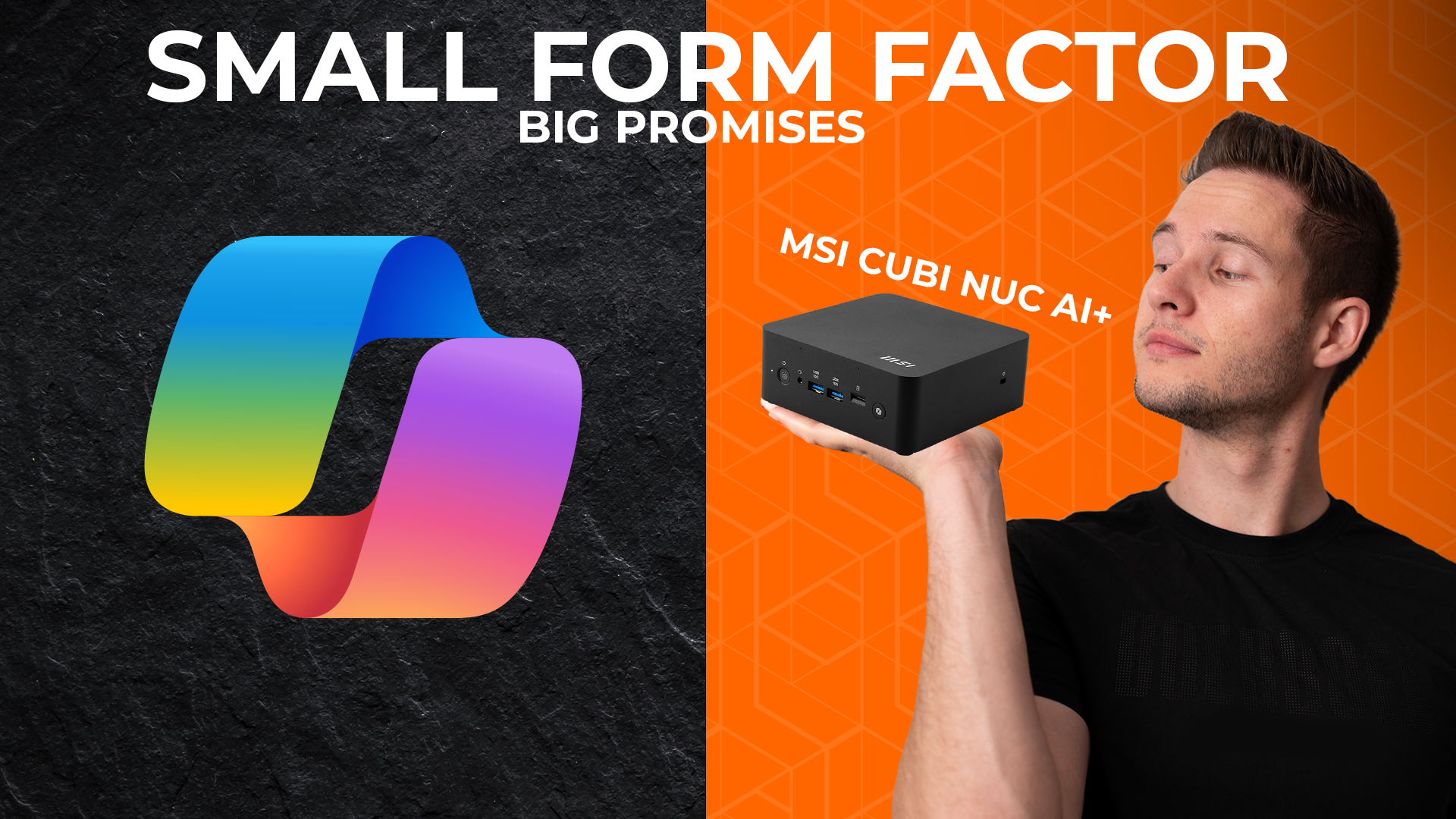

MSI Cubi NUC AI+: Compact Performance for Professionals
By Stefan @ WeDoTech
Tiny Box, Big Ambition
The MSI Cubi NUC AI+ 2MG brings Microsoft’s Copilot+ hardware features into an ultra-compact form factor that weighs less than most laptops. But does shoving AI in a palm-sized PC really justify its higher price tag, or is it a niche device for specific people?
we'll unpack its design, performance, AI capability and its limitations to see how it stacks up against its competitors to help you decide if the Cubi belongs on your desk or behind your monitor.
Dynamite in a small package?
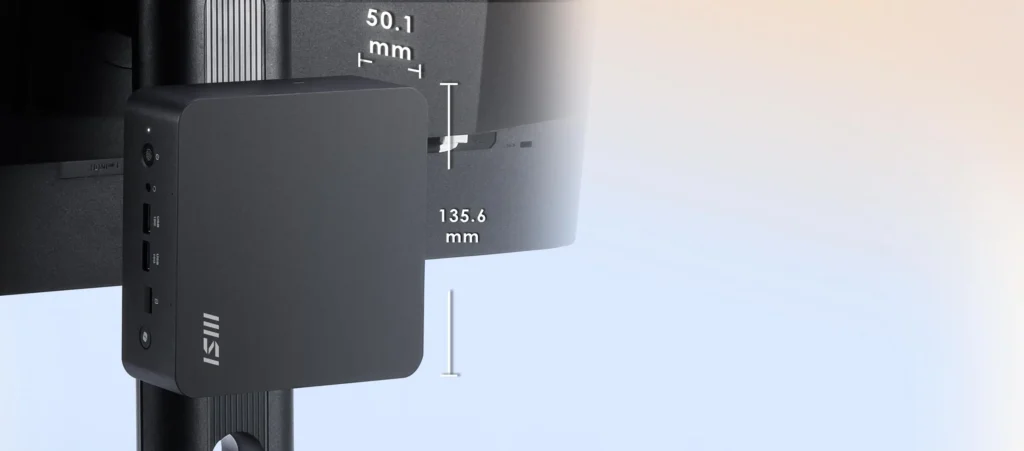
The MSI Cubi stands out immediately for its size. weighing in at only 0.667 kg (1.47 lbs), it’s unbelievably portable. it also has an included Vesa mount meaning you can hide it behind basically any monitor. Its great for things like minimalist desk setups, reception counters, digital signage or medical equipment where powerful hardware is needed but portability is just as important.
Even though its small, MSI impreesed me by how much connectivity they managed to pack in. It might not be as much as a regular desktop but it does beat out most laptops and other similarly sized mini PCs.
Ports & Practicality: Surprisingly Loaded
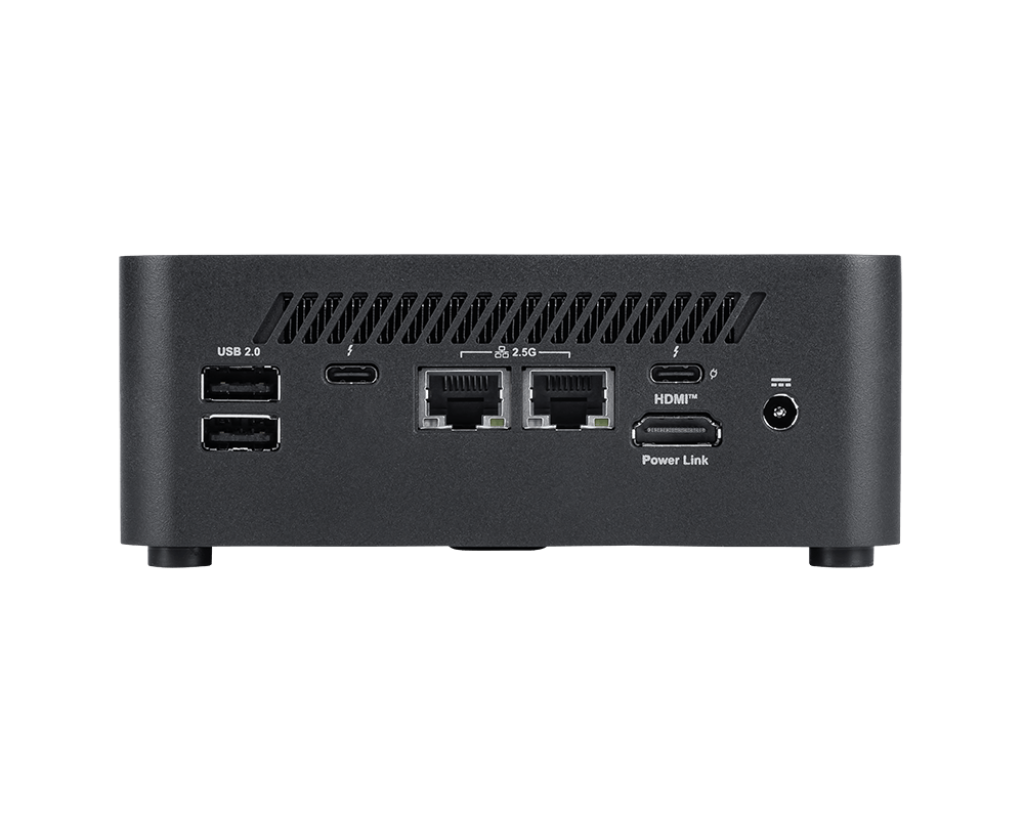
Round the back, the MSI Cubi NUC AI+ 2MG offers a legitimately impressive set of ports
- Dual 2.5Gb Ethernet ports which are ideal for network redundancy, load balancing and seprating public and private networks
- 2× Thunderbolt 4 ports supporting DisplayPort 2.1, up to 4K/60Hz one of which supports PowerDelivery-in over USB-C at up to 100W, letting you power the entire system with a single cable.
- Both Thunderbolt ports also support 15W power-out for charging your phone or powering other small devices.
- 2× USB-A ports (USB 2.0) ideal for legacy devices like mice, keyboards and printers
- a single HDMI 2.1 port which supports MSI Powerlink, which basically turns the NUC on automatically when you turn your monitor on, meaning you don't have to wrap around and look for the power button.
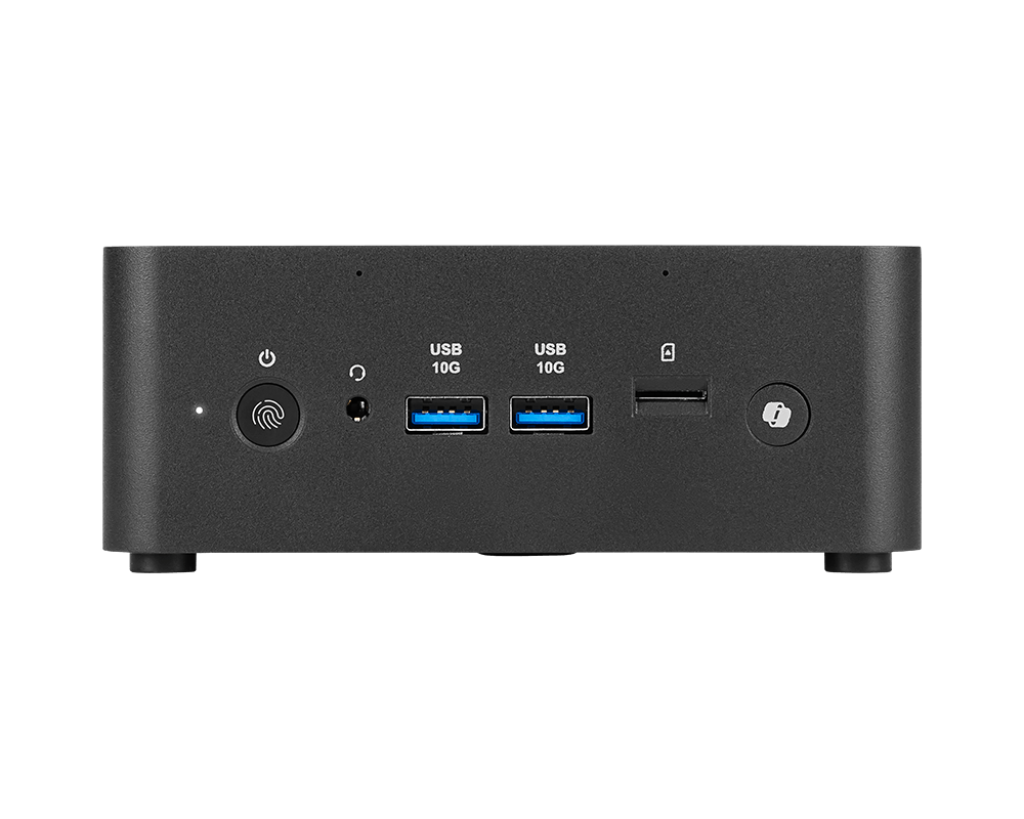
On the front you get:
- 2× USB-A 10Gbps for fast transfers
- a 3.5mm audio combo jack
- MicroSD card reader
- a dedicated Copilot button
- a power button with a built in fingerprint reader for added security
Security remains a major focus — with Kensington lock support and dTPM 2.0 baked in. For enterprise buyers, that’s a big deal.
Powering AI in a Palm-Sized PC
At the core of the MSI Cubi NUC AI+ is Intel’s new Lunar Lake architecture, complete with a capable NPU that enables full Copilot+ support. Whether you’ll use AI summarization, generative tools, or local on-device assistance depends on your workflow but having the hardware for future software updates adds real longevity.
Performance is focused on efficiency:
- Cool and quiet even under load
- Excellent idle power usage
- Smooth multitasking
CPU options include:
- Core Ultra 5 226V (up to 4.5GHz)
- Core Ultra 7 258V (up to 4.8GHz)
- Core Ultra 9 288V (up to 5.1GHz)
For productivity, office work, cloud dashboards, educational environments, or digital signage, the MSI Cubi performs flawlessly. Just don’t expect workstation-class rendering or GPU-heavy workloads this isn’t the machine for that.
Where the Cubi Falls Short
For all its strengths, the MSI Cubi has a few notable limitations:
- The RAM is integrated into the CPU meaning there's no way to upgrade memory later.
- you're limited Single M.2 SSD slot for storage
- Rear USB 2.0 ports feel dated in 2025.
- Not ideal for GPU-intensive tasks like 3D modeling or demanding creative workflows as it runs on intel Iris integrated Graphics
The lack of upgradability will be the biggest drawback for enthusiasts. Businesses may not care, but home users should choose their configuration carefully.
Who the Cubi Is Built For
The MSI Cubi is best suited for environments where space, efficiency, and security matter more than raw horsepower:
- Government offices
- Corporate workstations
- Educational labs
- Medical setups
- Digital signage and kiosks
- Minimalist home setups
If you need a tiny, power-efficient PC that is easy to hide, has tonnes of connectivity and supports and modern AI features, then the MSI Cubi NUC AI+ 2MG is a strong fit.
How Does It Stack Up against the competition?
Compared to other compact systems like Intel NUC successors, ASUS NUC, or Beelink’s mini PC lineup, the MSI Cubi trades customization for polish.
Where it wins:
- Best-in-class port layout
- Dual 2.5Gb LAN (rare at this size)
- Built-in fingerprint reader
- ThunderBolt 4 with 100W PD power-in support
- Business-friendly security features
Where competitors win:
- Some offer dual SSD slots
- Many allow RAM upgrades
- Lower starting prices in the consumer mini-PC segment
Overall, the Cubi sits firmly in the pro/enterprise category, with consumer perks as a bonus.
Final Verdict: A Mighty Mini With Smart AI Extras
The MSI Cubi NUC AI+ 2MG nails its mission: deliver secure, efficient, AI-ready performance in the smallest footprint possible. With Lunar Lake efficiency, excellent connectivity, strong security features, and enterprise-level flexibility, it’s one of the most polished mini PCs available.
However, the soldered RAM, single SSD slot, and slightly higher pricing limit its appeal for tinkerers and budget buyers.
If you value small size, stability, and modern AI hardware and don’t need heavy GPU performance the MSI Cubi is a fantastic compact workstation, and if you lean more towards the gaming side rather than the office professional, check out our review on the GK600 TKL Wireless.
Stefan | WeDoTech
“We spend the money, sometimes waste it. So you don’t have to.”