
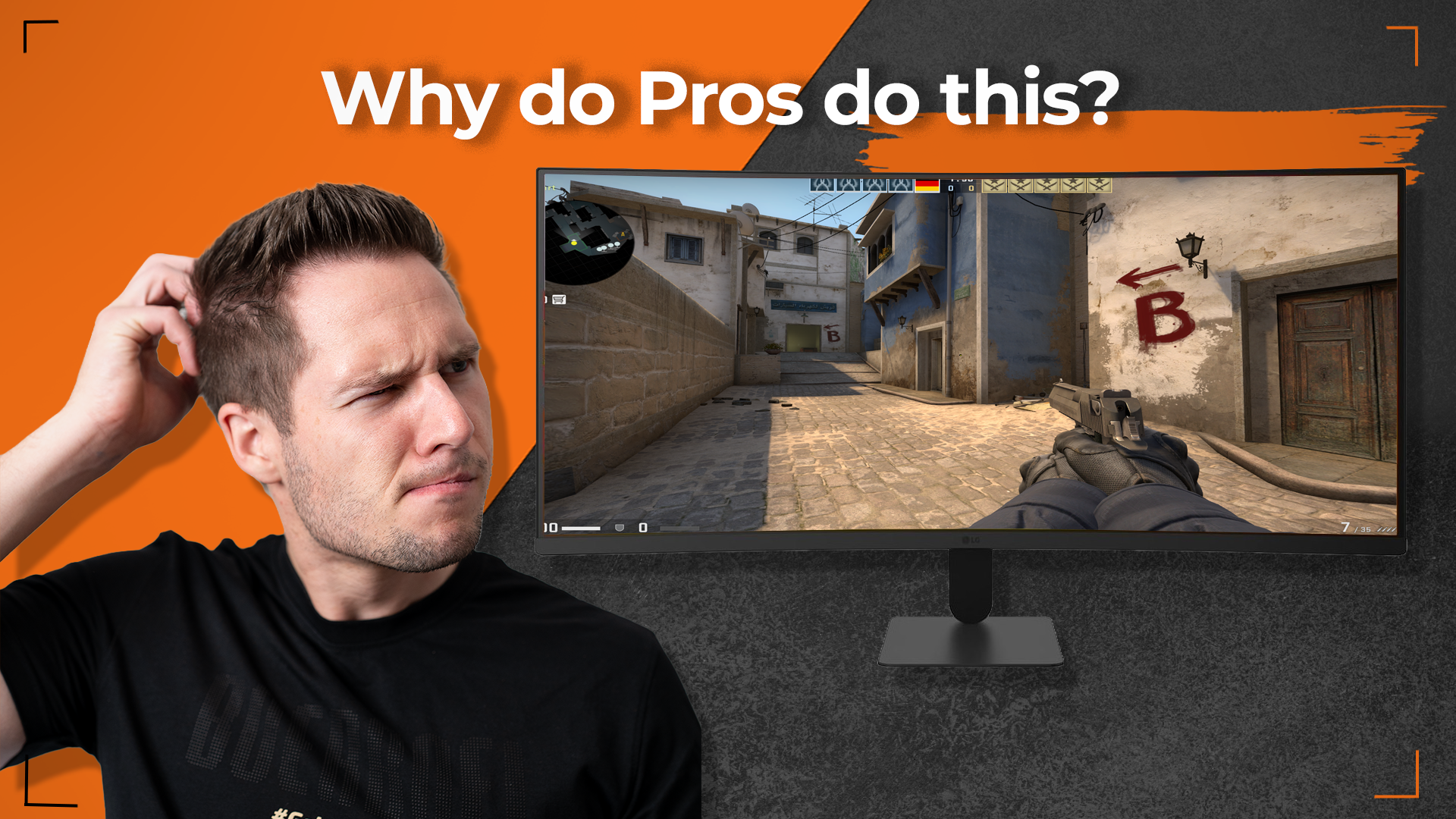

4:3 Stretched: Why CS2 Pros Make Their Game Look Worse
By Stefan @ WeDoTech
The best Counter-Strike players in the world deliberately make their game look wide, soft and dated, and the reason is all about the enemy.
The best Counter-Strike players in the world make their game look worse. On purpose. Most of them play on 4:3 stretched, a setting that squeezes an old-school square image across a modern widescreen monitor.
If you have ever watched a pro POV and wondered why everything looks wide and a little blurry, this is why. It looks wrong, but nearly every top player swears by it.
So why would the best players on the planet choose a worse-looking game? The answer comes down to one simple idea: it was never about the game looking good.
Four Out of Five Pros Play Like It Is 2005
Pro settings databases track the configs of hundreds of active players, and the numbers are remarkably consistent.
According to CSDB.gg, which tracks more than 800 active pros, 78% play on a 4:3 aspect ratio, while only 13% use standard 16:9. ProSettings.net puts the 4:3 share at roughly 75%. That is about four out of five pros.
One resolution dominates: 1280x960, used by around 61% of the field in CSDB's data. Native 1920x1080 sits far behind at about 12%.
And most of those 4:3 players do not keep the black bars on the sides. Around 90% of them run 4:3 stretched, filling their widescreen monitor. Star players like donk, m0NESY, s1mple and NiKo are all listed on 1280x960 4:3 stretched.
Bigger Targets, Easier Shots
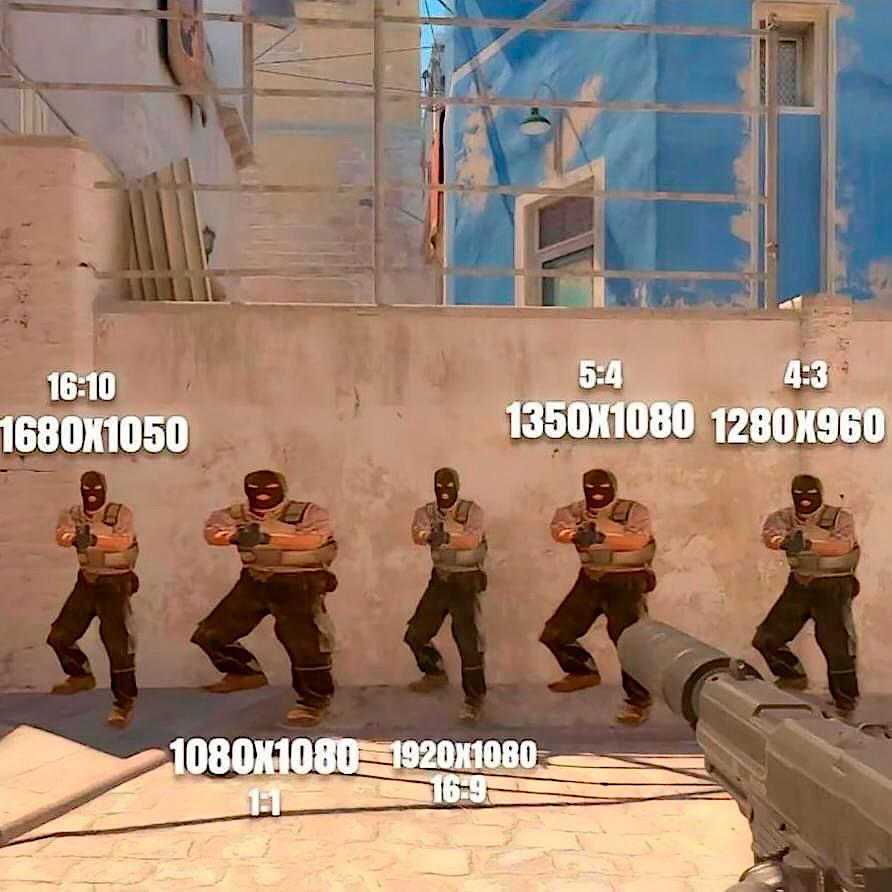
Here is how it works. A 4:3 image is narrower than a 16:9 monitor. When you run 4:3 stretched to fill the screen, everything in the game is pulled sideways by the same amount.
That includes the enemies. Because 16:9 is a third wider than 4:3, player models end up about 33% wider on screen. A wider target is easier to spot at a glance and easier to land your crosshair on.
There are a few other reasons pros stick with 4:3 stretched:
- Bigger models: enemies take up more of the screen, which helps with spotting and flicking.
- Higher frame rates: a lower resolution is lighter on your GPU. In one test by The Global Gaming, switching from 1920x1080 to 1280x960 raised frame rates by about 17%.
- Habit: many pros grew up on older Counter-Strike, back when square 4:3 monitors were the norm, and they simply never switched.
That last point matters more than people think. ProSettings.net notes that there is a bit of placebo and nostalgia involved. Many pros have been playing since before CS:GO, and 4:3 feels natural to them. When your muscle memory is built over thousands of hours, changing your screen shape is a risk few want to take.
The Price of a Wider Enemy
4:3 stretched is not free. The biggest cost of 4:3 stretched is your field of view.
CS2 keeps the vertical field of view fixed, so a narrower aspect ratio cuts off the sides of the map. On 16:9, your horizontal view is roughly 106 degrees. On 4:3, it drops to about 90 degrees. That is a lot of peripheral vision gone.
That missing edge has a name in the community. When a pro dies to someone standing just outside their view, fans call it a "4:3 moment."
There are other 4:3 stretched downsides too:
- Blurrier image: running a lower resolution on a high-resolution monitor makes everything softer.
- Distorted movement: because the image is stretched, enemies appear to move faster across the screen horizontally, which takes time to get used to.
- Setup hassle: CS2 has no simple stretch toggle in its menu. You choose a 4:3 resolution in the game, and your graphics driver decides whether it stretches or shows black bars.
For most pros, though, that trade is worth it. They would rather see a slightly smaller slice of the map with bigger enemies inside it.
4:3 Stretched vs 16:9 Native
Here is how the two setups compare:
- Pro usage: about 78% on 4:3 vs about 13% on 16:9
- Player model width: about a third wider vs normal proportions
- Horizontal field of view: about 90 degrees vs about 106 degrees
- Image quality: softer and distorted vs sharp and accurate
- Performance: higher frame rates vs more demanding on the GPU
Native 16:9 has its own champions. ropz, one of the best riflers in the world, plays on native 1920x1080, which proves you can reach the top without stretching anything. A wider view helps you spot players at the edges, and the image looks the way the developers intended.
The verdict: 4:3 stretched is the better choice if your priority is target size and you mostly play aim-heavy roles, which is why AWPers lean on it the hardest. Native 16:9 is better if you value awareness, a clear image and a game that looks good. Neither is wrong. The best setting is the one you can play thousands of hours on without thinking about it.
Final Thoughts
4:3 stretched is one of the strangest traditions in esports. The best players in the world run a blurry, squashed image on expensive high-refresh monitors, and they do it because it makes the other guy look bigger. Add in higher frame rates and years of muscle memory, and it is easy to see why it has survived the jump to CS2.
Our recommendation: if you are curious, try 1280x960 4:3 stretched for a week before you judge it. It will feel strange at first. If you miss your peripheral vision or the sharper image, go back to native. The goal was always to win, and looking good never came into it.
If you are tweaking your monitor setup for CS2, also read DisplayPort vs HDMI: Why Your GPU Favors DisplayPort.